ux case study
Designed Olive, a mobile period tracking app, to reduce complexity and support women in understanding their cycle with clarity and confidence
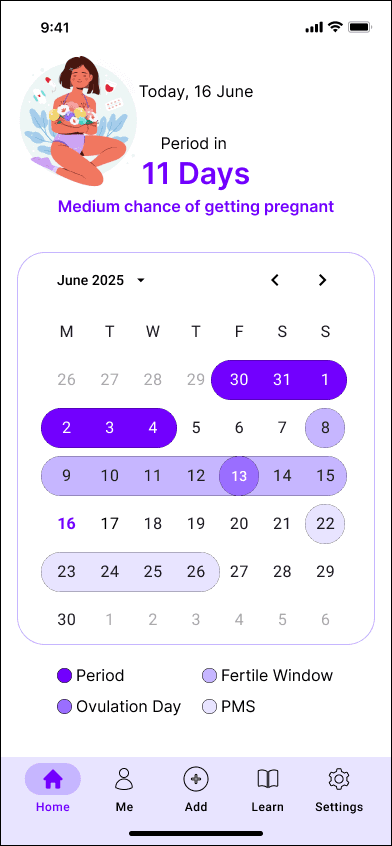
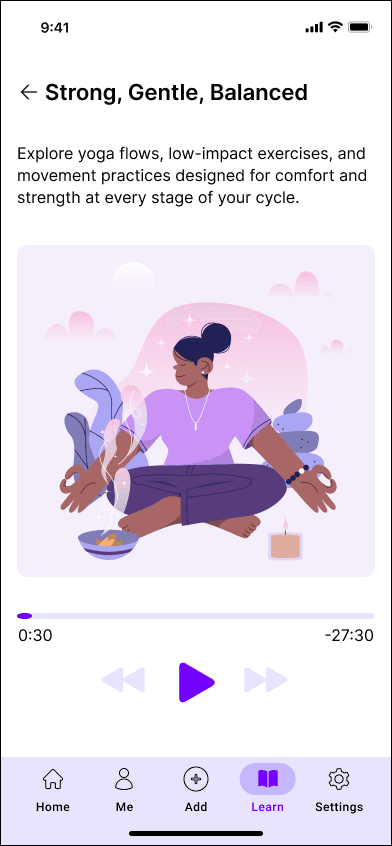

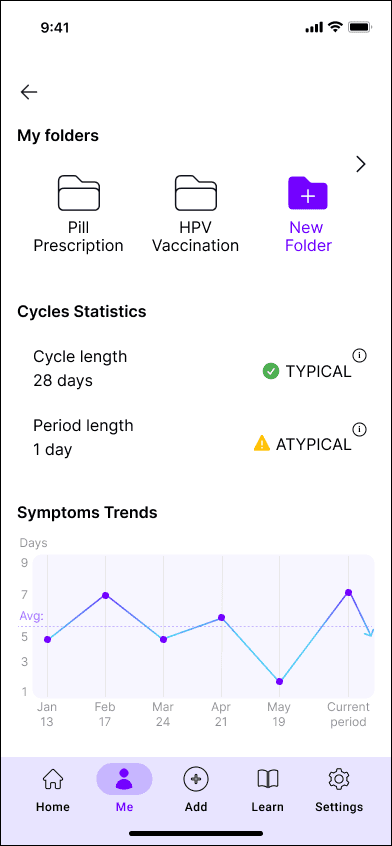
Timeline
End-to-end UX and UI design over 6 months.
Tools
Figma | Miro | Lyssna | Optimal Workshop | Google Forms | Material Design | ChatGPT
User Interviews
4 semi-structured interviews were conducted with women aged 25- 40, combining remote and in-person sessions, to understand motivations, habits, and frustrations around cycle tracking.
Competitive Analysis
A comparative analysis of leading period-tracking apps identified recurring patterns: feature overload, medicalised language, unclear hierarchy, and high interaction cost.
Key Insights
Users primarily track to plan their daily life and commitments.
Repetitive logging leads to tracking fatigue and disengagement.
Emotional and behavioural symptoms are consistently under-represented.
Feature-heavy interfaces reduce clarity and long-term engagement.
Predictions and reminders significantly increase perceived usefulness.
User Personas
Two personas were developed to represent the extremes of Olive's user base: one experiencing irregular cycles and severe symptoms, and one with regular cycles and a goal of conception. Designing for these extremes ensures Olive supports a broad and inclusive range of users aged 20- 45.
Problem Statement
Women need a way to better understand themselves and their cycles because it empowers informed health decisions and supports improved physical and mental well-being. This will be validated when users consistently engage with Olive to log health information, access balanced lifestyle suggestions, and provide meaningful feedback.
Product Strategy
Three core principles guided the design direction: simplicity, emotional awareness, and preparation over reaction. These were translated into three core actions: log period, log symptoms, and set reminders, each designed to require minimal effort and cognitive load.
Information Architecture
Olive's content was mapped and organised into clear hierarchical sections, surfacing essential information first while keeping secondary features accessible.
Card Sorting
An open card sorting exercise with 5 participants on Optimal Workshop validated content groupings and navigation labels against users' mental models. Results confirmed the main site map structure while revealing ambiguity in the Settings section. Participant feedback directly led to the addition of Statistics and Reminders as dedicated sections in the final architecture.
User Flows
Three task-focused user flows were mapped to support everyday tracking with minimal steps and consistent navigation, reflecting users' low tolerance for repetitive input and complex interactions.
Wireframes
Low-fidelity paper sketches were used to explore layout and hierarchy quickly. The strongest concepts were translated into mid-fidelity wireframes in Figma, refining spacing, content prioritisation, and navigation clarity in preparation for testing.
Usability Testing
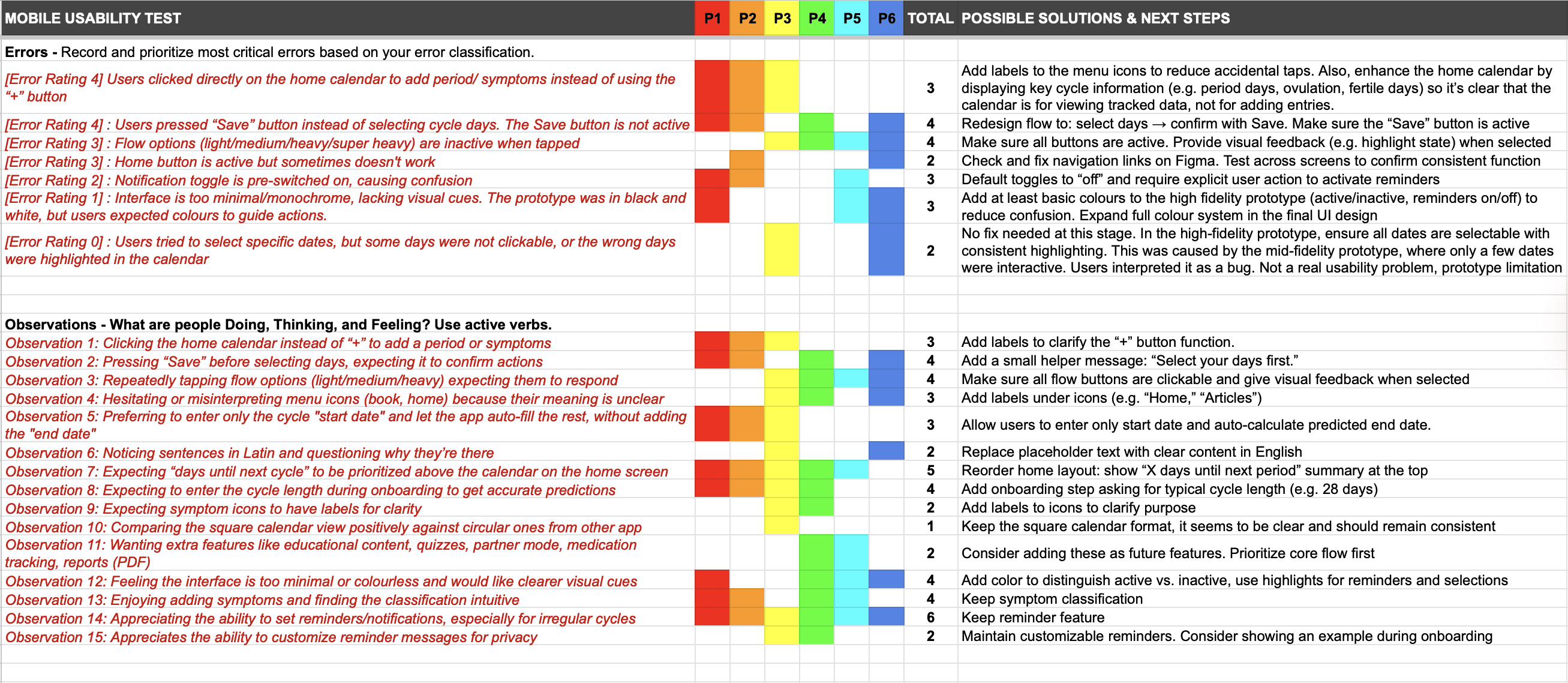
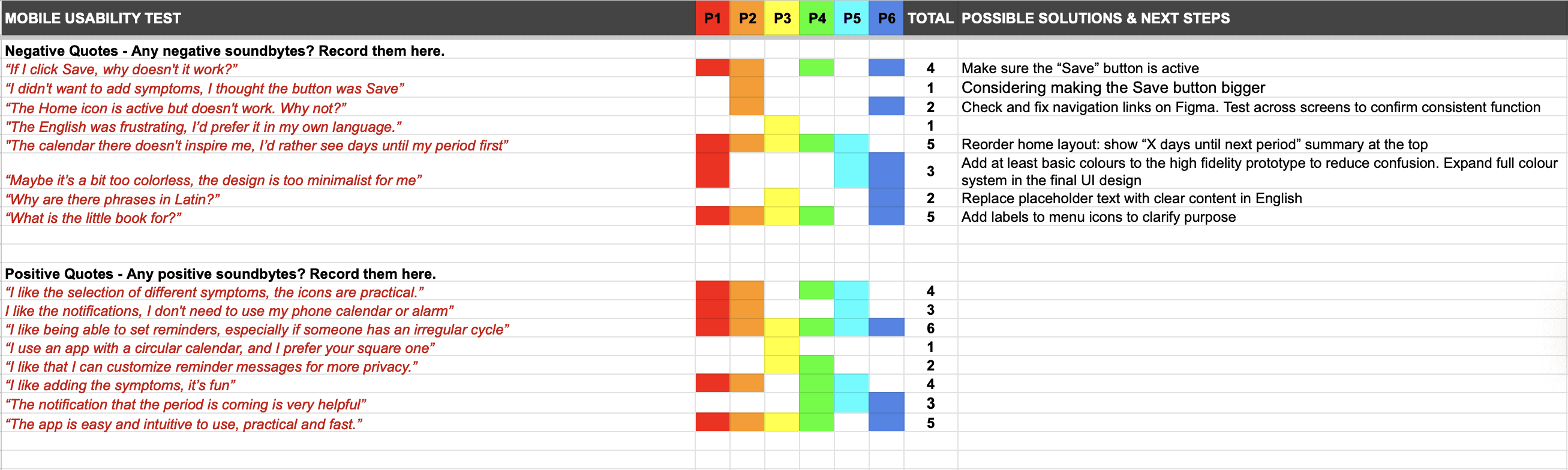
Moderated usability testing on the mid-fidelity prototype was conducted with 6 participants. Findings were synthesised using a rainbow spreadsheet to prioritise issues by frequency and severity. Key friction points were identified in navigation, button hierarchy, and task completion, all of which were directly addressed in the high-fidelity iteration.
A/B Testing
A preference test on the login screen was conducted via Lyssna with 15 participants. 67% preferred Login B over Login A, with a 90% statistical significance rating, confirming the result was not due to chance. Login B was selected as the final direction for its clarity and immediacy, while spacing insights from Login A were carried forward as refinements.
Final UI

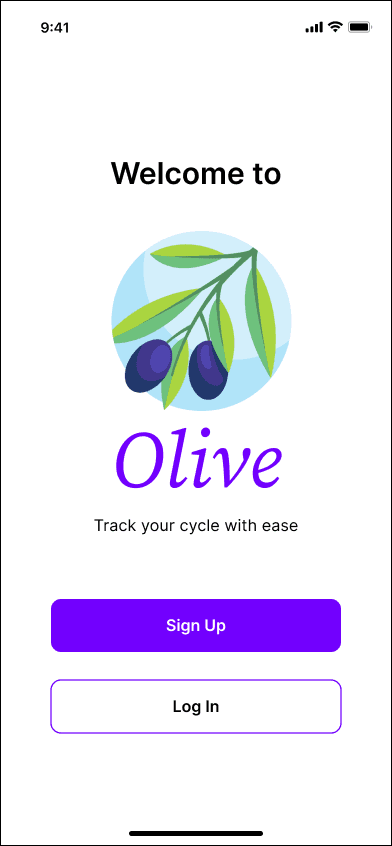

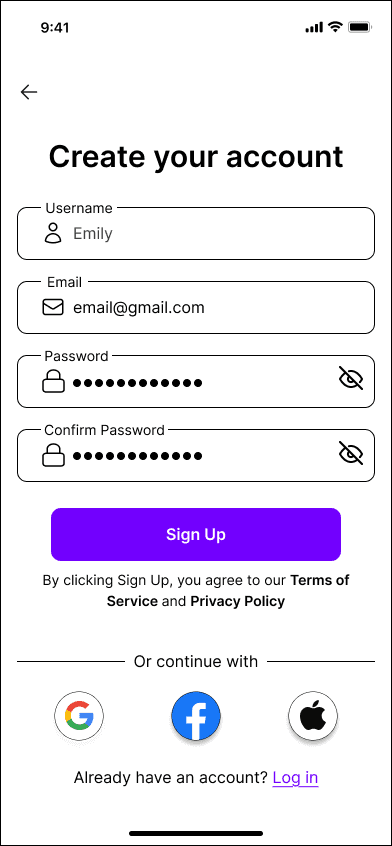
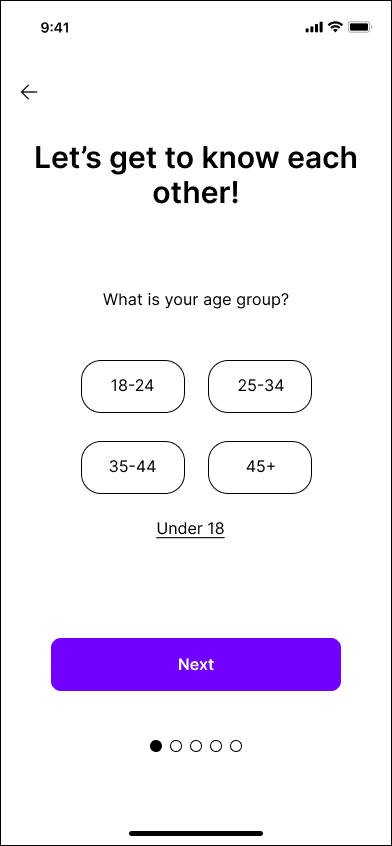
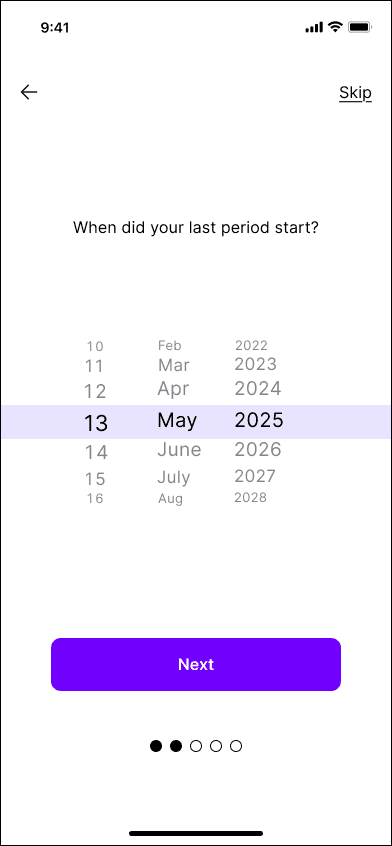
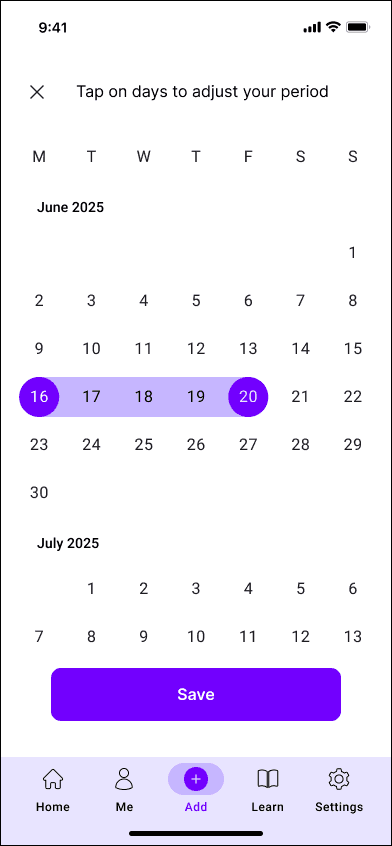
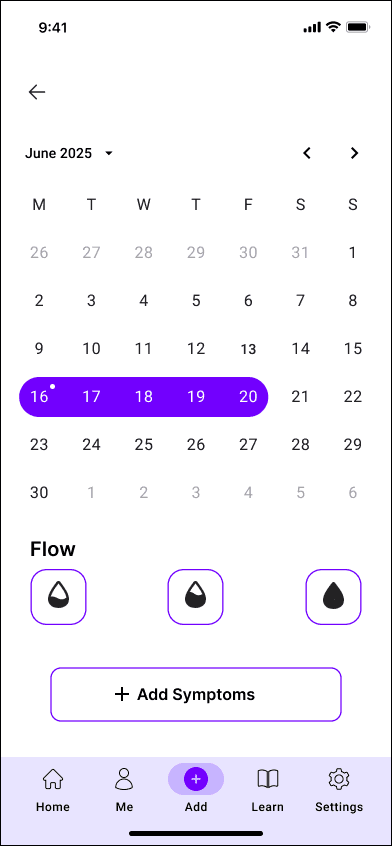
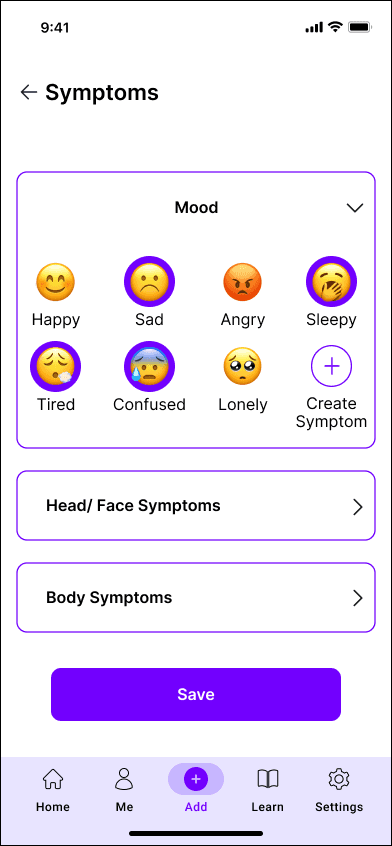
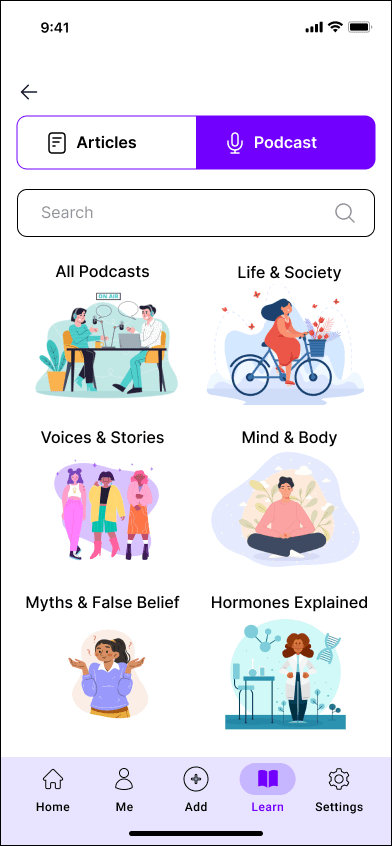
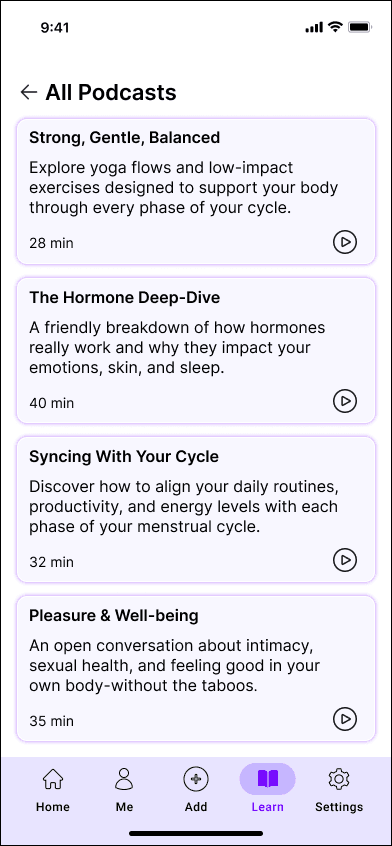
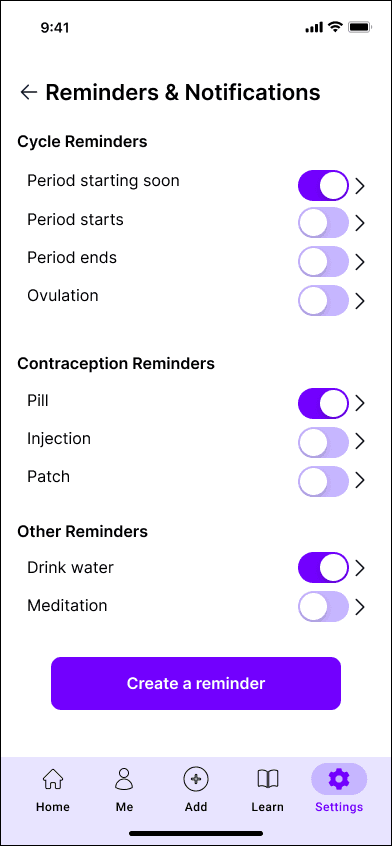
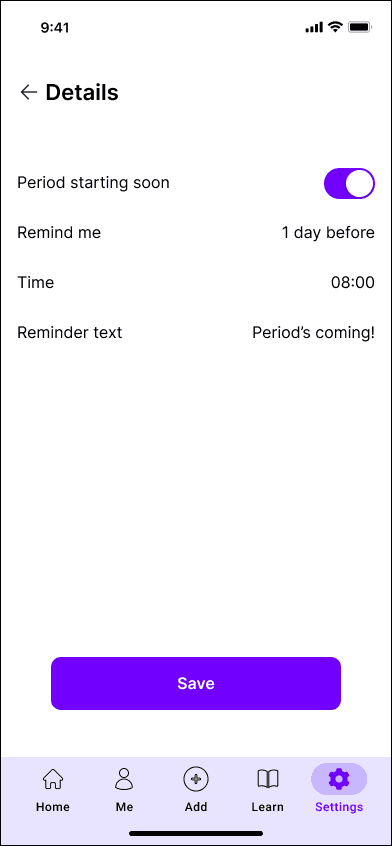
Olive demonstrates how a research-led, low-effort design approach can meaningfully reduce tracking fatigue and improve clarity in a sensitive health context. The usability testing phase confirmed the core flows were intuitive and navigable, with friction points identified and resolved through structured iteration. Success for this product would be measured through session frequency, symptom logging retention, and task completion rate across core flows.

Challenges
Balancing simplicity with meaningful health functionality required careful prioritisation throughout. Keeping interactions low-effort without oversimplifying important information was the central tension of the project.
Learnings
Each iteration, from research through testing to visual refinement, strengthened the product's focus and confirmed that simplicity better serves real user needs. Usability testing was especially valuable in surfacing friction points that research alone would not have revealed.
Future Considerations
Priority next steps would include turning cycle and symptom logs into clear visual patterns to support reflection, introducing subtle micro-interactions to reduce tracking fatigue, and developing a dedicated statistics section to transform raw data into meaningful insights.